
Pinterest Scheduler tools have become an important part of modern social media marketing, especially for bloggers, ecommerce businesses, content creators, and digital marketers who want to maintain a consistent presence on Pinterest. But publishing pins is only one part of a successful strategy. 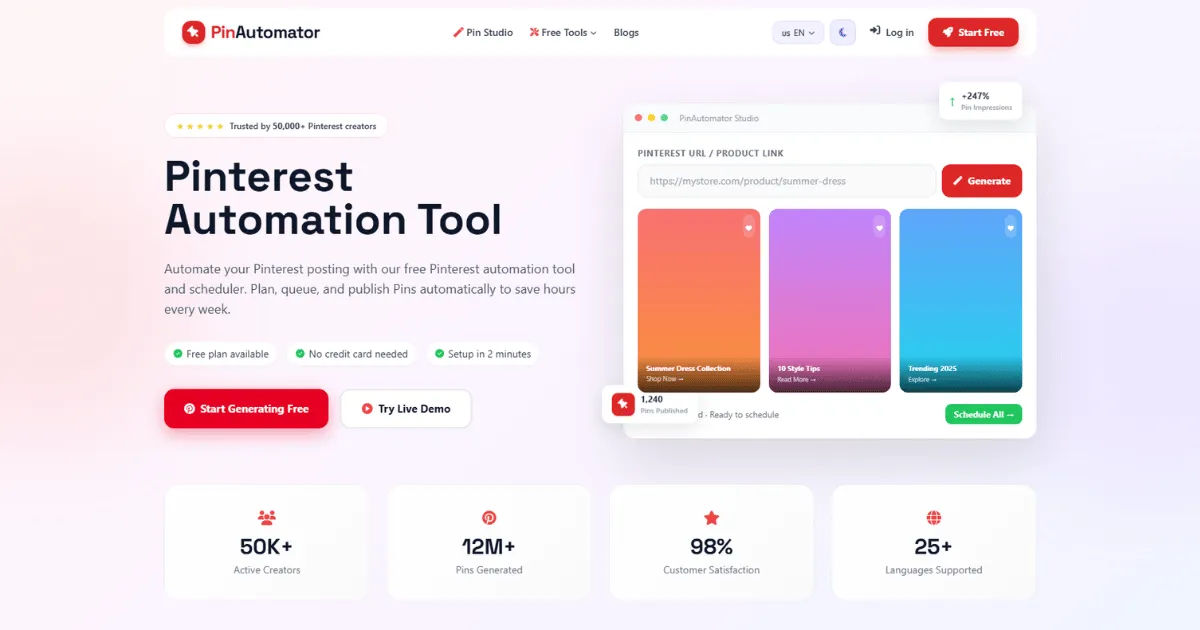
The short answer is that many scheduling platforms offer some form of performance tracking, but the depth and quality of reporting can vary significantly from one tool to another. Some platforms provide basic information about published content, while more advanced solutions may offer detailed analytics, engagement measurements, click tracking, audience insights, and performance comparisons.
Understanding how reporting works can help you choose the right scheduling solution for your Pinterest marketing strategy. A scheduling tool that simply publishes content may save time, but one that also helps you understand results can support better decisions and long-term growth.
What Is a Pinterest Scheduler?
A Pinterest Scheduler is a software tool that allows users to prepare, organize, and publish pins at selected dates and times. Instead of manually logging into Pinterest every day and publishing individual pieces of content, users can create a content schedule in advance.
This approach is especially useful for people managing multiple boards or publishing content regularly. A blogger, for example, might create several pins for one article and schedule them to appear on different dates. An online store may schedule product pins throughout the week. A marketing agency might manage content for several clients using a centralized platform.
The main purpose of scheduling is to make content management more organized and consistent. Rather than relying on memory or manually publishing every post, marketers can create a content calendar and plan their Pinterest activity ahead of time.
However, modern scheduling tools often do more than simply publish content. Many have developed additional features that help users monitor results and improve their strategies.
This is where performance reporting becomes important.
What Are Performance Reports?
Performance reports are summaries of how published content performs over a specific period. They help marketers understand whether their Pinterest activity is achieving its intended goals.
Depending on the platform, a report may include information about impressions, engagements, saves, outbound clicks, link clicks, audience growth, and other measurements.
For example, if you schedule 50 pins during one month, a performance report can help you determine how those pins performed after publication. You may discover that some pins received thousands of impressions while others received very little visibility.
You may also learn that certain topics generated more clicks than others. This information can help you decide what type of content to create in the future.
Performance reports turn raw activity into useful insights. Instead of simply knowing that you published content, you can begin to understand what happened after that content was published.
Does Every Pinterest Scheduler Include Performance Reports?
No, not every scheduling platform provides the same level of performance reporting.
Some basic scheduling tools focus primarily on content planning and publishing. Their main purpose is to help users automate their posting schedules. These tools may provide limited information about published posts or may not include detailed analytics at all.
More advanced platforms may combine scheduling with analytics and reporting. These solutions can provide a broader view of content performance and help users identify trends over time.
The difference is important because scheduling and analytics are technically separate functions.
A platform can be excellent at publishing content without being particularly strong at analyzing results. Similarly, a platform may offer detailed analytics but have fewer scheduling features.
Before choosing a tool, users should determine whether performance reporting is included in the plan they are considering. Some platforms may offer basic reports with entry-level subscriptions while reserving advanced analytics for higher-priced plans.
It is also important to understand whether the data comes directly from Pinterest or is calculated by the scheduling platform itself. This can affect how much information is available and how accurately the tool can interpret performance.
What Metrics Can a Pinterest Scheduler Report?
The exact metrics depend on the platform and its connection with Pinterest. However, several common performance measurements may be available.
One of the most important metrics is impressions.
Impressions indicate how many times content was displayed to users. A high number of impressions generally means that a pin is receiving visibility, although impressions alone do not necessarily mean that users are taking action.
Another useful metric is engagement.
Engagement can include actions such as saves, clicks, and other interactions. High engagement may indicate that users find the content useful, interesting, or relevant.
Outbound clicks are also valuable for businesses and bloggers.
If a pin links to a website, product page, blog article, or landing page, outbound clicks can show whether Pinterest users are actually leaving the platform to visit that destination.
Saves are another important measurement.
When users save a pin, it may indicate that they find the content valuable enough to keep or revisit later. Saved content may also gain additional exposure as it is shared through Pinterest users' own activity.
Some reporting systems may also provide information about audience growth, top-performing boards, or the performance of individual pins.
The availability of each metric depends on the scheduling tool, the connected Pinterest account, and the analytics data that the platform can access.
Why Performance Reports Matter
Performance reports are valuable because they help marketers move beyond guesswork.
Without analytics, a person may continue publishing content simply because they believe their strategy is working. However, they may not know which pins are generating results or whether their efforts are producing meaningful traffic.
Reports provide evidence.
For example, imagine that a business publishes pins about ten different topics. After reviewing the data, the business discovers that pins related to home organization generate significantly more clicks than pins about general lifestyle content.
This information can influence future content planning.
Instead of treating every topic equally, the business may create more content around home organization. The company can still experiment with other subjects, but it now has data to guide its decisions.
A Pinterest Scheduler with useful reporting features can therefore support both productivity and strategy.
The scheduling feature helps users publish consistently.
The reporting feature helps them understand whether that publishing activity is effective.
Together, these features can create a more complete content management process.
The Difference Between Scheduler Analytics and Pinterest Analytics
It is important to understand that a scheduling platform's reports may not replace Pinterest's own analytics system.
Pinterest provides native analytics features that can offer information about account and content performance. A scheduling platform may connect with this data or provide its own reporting interface.
The advantage of using reports inside a scheduler is convenience.
If you are already using the platform to plan and publish content, having performance information in the same environment can make it easier to review your activity.
However, native Pinterest analytics may provide information that a third-party scheduler cannot access or display in the same level of detail.
For this reason, serious marketers may use both systems.
The scheduler can serve as the central place for planning and publishing, while Pinterest's own analytics can provide a deeper view of account performance.
The two approaches do not necessarily compete with each other. Instead, they can complement one another.
How Performance Reports Help Bloggers
Bloggers can benefit significantly from performance reports.
A blog may have hundreds or thousands of articles, but not every article will attract the same level of Pinterest traffic.
By reviewing performance data, bloggers can identify which topics receive the most attention.
Suppose a food blogger publishes content about desserts, breakfast recipes, healthy meals, and dinner ideas. After several months, the blogger notices that dessert-related pins consistently receive more impressions and clicks.
This insight can influence the editorial calendar.
The blogger may create more dessert content while continuing to test other categories. Existing high-performing articles can also be updated with new pin designs.
Performance reports can also help bloggers identify seasonal trends.
A holiday recipe might perform exceptionally well during November and December but receive less attention during other months. Understanding these patterns allows bloggers to schedule seasonal content at appropriate times.
This makes reporting useful not only for measuring past performance but also for planning future content.
How Ecommerce Businesses Use Performance Reports
Ecommerce businesses can use reporting features to connect Pinterest activity with product visibility and website traffic.
For an online store, impressions are useful, but clicks and conversions may be even more important.
A product pin that receives thousands of impressions but very few clicks may need a stronger image, better description, or more compelling call to action.
On the other hand, a pin that receives fewer impressions but generates consistent website visits may be attracting a highly relevant audience.
Performance reports help businesses identify these differences.
An ecommerce company can also compare different product categories.
For example, a fashion retailer might discover that pins featuring accessories generate more clicks than pins featuring basic clothing. This information can influence future content creation and promotional campaigns.
The goal is not necessarily to create the most impressions.
The goal is to create content that supports business objectives.
How Content Creators Benefit From Reporting
Content creators often manage multiple content types and audiences.
A creator may publish tutorials, inspirational images, videos, blog posts, and product recommendations. Performance reports can show which formats receive the strongest response.
This can help creators make better decisions about their content mix.
If educational pins consistently generate saves, the creator may produce more educational content. If product-related pins generate more outbound clicks, the creator may increase the frequency of product-focused content.
Reporting also helps creators understand audience interests.
Instead of relying entirely on personal assumptions, they can look at actual performance patterns and use those patterns to guide future work.
This can make content development more efficient.
Can Reports Show the Best-Performing Pins?
Many advanced scheduling and analytics platforms allow users to identify top-performing content, although the exact reporting method varies.
A report might rank pins according to impressions, saves, clicks, or other available metrics.
This information is extremely useful.
If one pin performs much better than others, you can study what makes it different.
Perhaps the design is more visually appealing.
Maybe the headline is clearer.
The topic might have stronger demand.
The image may communicate the value of the content more effectively.
By identifying successful patterns, marketers can create new content based on proven ideas without simply copying the original pin.
This creates a continuous learning process.
Publish.
Measure.
Analyze.
Improve.
Repeat.
That cycle can make Pinterest marketing more effective over time.
Can a Pinterest Scheduler Track Website Traffic?
Some scheduling tools may provide information about traffic generated by Pinterest, but the level of tracking varies.
Website traffic tracking often depends on how links are configured and what analytics systems are connected to the account.
For businesses, using website analytics alongside scheduling reports can provide a clearer picture.
A scheduler may tell you that a pin received a certain number of clicks. Website analytics can then help you understand what visitors did after arriving.
Did they read an article?
Did they view multiple pages?
Did they sign up for an email list?
Did they purchase a product?
These questions matter because clicks alone do not always represent business success.
A Pinterest campaign can generate traffic without generating conversions. Therefore, marketers should connect Pinterest performance with broader business goals whenever possible.
Are Performance Reports Available in Real Time?
Not always.
Analytics data may take time to update, depending on the platform and the data source.
Some tools may update information frequently, while others may provide reports on a delayed basis.
This is generally not a major problem for long-term Pinterest marketing.
Pinterest is often more valuable as a long-term traffic and discovery platform than as a channel where every result must be measured minute by minute.
For most marketers, daily or weekly trends are more useful than real-time fluctuations.
The important thing is to establish a consistent reporting routine.
How Often Should You Review Pinterest Performance?
The ideal reporting schedule depends on the size and goals of your account.
A small blogger may review performance once or twice a month.
A larger ecommerce company may review results weekly.
Marketing agencies managing multiple accounts may monitor performance more frequently.
However, checking analytics too often can sometimes create confusion.
A pin may need time to gain visibility and accumulate engagement. Judging a piece of content immediately after publication may lead to inaccurate conclusions.
For this reason, marketers should give content enough time to produce meaningful data.
Monthly analysis is often a useful starting point.
During a monthly review, you can compare content performance, identify top-performing topics, evaluate traffic, and adjust the next month's publishing schedule.
What Should You Look for in a Reporting Dashboard?
A good reporting dashboard should make important information easy to understand.
You should be able to see which content is performing well and which content is struggling.
The dashboard should ideally allow you to review performance over different periods.
For example, you may want to compare the current month with the previous month.
Trend information can be particularly useful.
A single pin's performance may not tell you much. However, if impressions have increased consistently for three consecutive months, that may indicate positive growth.
Similarly, a steady decline in clicks could suggest that your content strategy needs adjustment.
A useful dashboard should help you identify these patterns without requiring complicated data analysis.
How Reports Can Improve Content Strategy
One of the greatest benefits of performance reporting is the ability to improve future content.
Suppose you discover that vertical graphics with clear text overlays generate higher click rates than images without text.
You can incorporate that design approach into future pins.
Perhaps you notice that certain topics consistently perform better.
You can create more content around those subjects.
Maybe you discover that certain posting times produce stronger results.
You can adjust your schedule accordingly.
The key is to use data as guidance rather than treating it as an absolute rule.
Pinterest performance can change because of seasonality, competition, audience behavior, and content trends.
Therefore, marketers should combine analytics with experimentation.
Reports tell you what happened.
Testing helps you discover why it happened.
Together, they can support better decisions.
Can Reports Help Improve Scheduling Times?
Potentially, yes.
Some scheduling platforms may provide information that helps users understand when content is receiving the strongest engagement.
This can help marketers experiment with different publishing times.
However, there is no universally perfect time to publish on Pinterest.
Your audience may behave differently from another brand's audience.
A business targeting working professionals may have different engagement patterns from a food blogger targeting parents.
The best approach is to use available data as a starting point and then test different schedules.
A Pinterest Scheduler makes this process easier because you can plan different publishing times without manually posting each pin.
Over time, performance data can help you refine your schedule.
Can Performance Reports Identify Audience Interests?
Performance reports can provide clues about what your audience finds interesting.
For example, if pins about minimalist home design consistently receive high engagement, that may indicate strong audience interest in the topic.
If pins about a particular product category generate frequent clicks, that could indicate buying intent.
However, analytics should be interpreted carefully.
A high-performing topic does not automatically mean every piece of content on that topic will succeed.
The quality of the pin, design, headline, timing, and relevance all matter.
Reports are most valuable when they are used to identify patterns rather than make assumptions based on a single result.
How Agencies Use Scheduler Reports
Digital marketing agencies often manage Pinterest accounts for multiple clients.
For these agencies, reporting can be especially important.
Clients typically want to know what their marketing investment is achieving.
A scheduling platform with reporting features can help agencies organize performance information and prepare regular updates.
An agency might track account growth, engagement, traffic, and top-performing content.
These reports can then be used during client meetings to explain progress and recommend future actions.
Reporting also improves accountability.
Instead of simply telling a client that content was published, an agency can show how that content performed.
This creates a more transparent relationship between the agency and the client.
What Are the Limitations of Scheduler Reports?
Although performance reporting is useful, it has limitations.
First, not every scheduler has access to the same data.
Some tools provide only basic metrics.
Others may offer advanced reporting features.
Second, third-party reporting may not always provide the same depth as native platform analytics.
Third, data does not automatically explain why content succeeded or failed.
A report may show that one pin received more clicks than another.
It may not tell you exactly why.
Human analysis is still necessary.
Marketers need to consider design, content quality, audience relevance, seasonality, competition, and other factors.
Finally, analytics should not become the only measure of success.
Brand awareness, long-term audience growth, and customer relationships can also matter, even when they are difficult to measure directly.
How to Choose a Pinterest Scheduler With Reporting
If performance reporting is important to you, evaluate scheduling platforms carefully before making a decision.
Start by checking which metrics are included.
Do you need impressions?
Are outbound clicks important?
Do you want to monitor saves?
Do you need audience information?
Your goals should determine the reporting features you prioritize.
Next, consider how the reports are presented.
A platform may have extensive data but still be difficult to use. A clean and understandable dashboard can save significant time.
You should also check whether reports can be exported.
Exporting data can be useful for creating client presentations, monthly reports, or internal business reviews.
Another factor is historical data.
Some tools may retain information for a limited period, while others may allow users to review longer-term performance.
Finally, check whether analytics are included in your subscription plan.
A feature may be advertised as available but limited to premium users.
Understanding these details before subscribing can prevent unexpected costs.
Should You Choose a Scheduler Based Only on Reporting?
Not necessarily.
Performance reporting is valuable, but it should not be the only factor you consider.
A good scheduling platform should also support your publishing workflow.
Consider how easy it is to create and organize content.
Look at calendar features.
Check whether you can manage multiple boards.
Consider whether the platform supports the type of content you publish.
Evaluate its automation capabilities and ease of use.
Reporting is one part of the overall experience.
The best solution is usually the one that balances scheduling, organization, analytics, and usability according to your specific needs.
How to Use Reports Without Becoming Obsessed With Data
Analytics can be helpful, but too much focus on numbers can become counterproductive.
Not every pin needs to go viral.
A content strategy should be evaluated over time.
Instead of worrying about the performance of every individual pin, look for broader patterns.
Are impressions increasing?
Is website traffic growing?
Are certain topics consistently performing well?
Are more users saving your content?
These questions provide a better understanding of overall progress.
It is also important to remember that Pinterest content can have a long lifespan.
A pin that performs slowly during its first few weeks may gain significant attention later.
Therefore, avoid making immediate judgments based on short-term results.
The Role of A/B Testing in Pinterest Marketing
Performance reports can also support experimentation.
A/B testing involves comparing different versions of content to determine which performs better.
For example, you might create two versions of a pin for the same article.
The first version could use a direct headline.
The second could use a curiosity-driven headline.
After enough time, you can compare their performance.
You can also test different images, layouts, descriptions, or calls to action.
A scheduling tool makes this process easier because you can organize and publish different variations at planned times.
However, testing should be controlled whenever possible.
If you change everything at once, it becomes difficult to determine what caused the difference in performance.
How Small Businesses Can Benefit From Reporting
Small businesses often have limited marketing budgets.
This makes performance measurement especially important.
A small company may not have the resources to publish large amounts of content without knowing what works.
Reports can help identify the most effective content themes.
They can also show whether Pinterest is generating meaningful traffic or engagement.
For example, a local home decor business might discover that inspirational room designs receive more engagement than direct product advertisements.
The company could then create content that combines inspiration with subtle product promotion.
This approach may attract users earlier in the buying journey while still supporting commercial goals.
How Performance Reports Support Long-Term Growth
The greatest value of reporting often appears over time.
One month's data may provide useful information, but several months of data can reveal stronger patterns.
You may discover seasonal trends.
You may see that certain boards consistently outperform others.
You may identify topics that gradually gain popularity.
You may also notice that your audience responds differently as your account grows.
Long-term reporting allows marketers to understand these changes.
Instead of treating Pinterest as a collection of individual posts, you begin to view it as an evolving marketing channel.
This long-term perspective can lead to better decisions and more sustainable growth.
Common Mistakes When Using Performance Reports
One common mistake is focusing only on impressions.
High impressions can be encouraging, but they do not necessarily produce website traffic or sales.
Another mistake is ignoring engagement quality.
A smaller audience that actively clicks and saves content may be more valuable than a large audience that only views it.
Some marketers also make decisions based on very small data samples.
If one pin performs well, that does not automatically mean the entire strategy should change.
It is better to look for repeated patterns.
Another common mistake is failing to connect Pinterest data with business goals.
If your goal is sales, track metrics related to sales.
If your goal is blog traffic, focus on website visits.
If your goal is brand awareness, impressions and reach may be more relevant.
The right metrics depend on your objectives.
What a Good Reporting Routine Looks Like
A simple reporting routine can make analytics easier to manage.
Start by identifying your main goals.
Then choose a small number of important metrics.
Review your results consistently.
Look for patterns instead of isolated results.
Identify your strongest content.
Identify areas that need improvement.
Finally, use those insights to plan your next content schedule.
This creates a practical cycle.
You publish content.
You collect performance information.
You analyze the results.
You adjust your strategy.
Then you publish again.
A Pinterest Scheduler can make this cycle more efficient by combining content planning and publishing with available performance information.
Does a Pinterest Scheduler Replace a Marketing Strategy?
No.
A scheduling tool is a technology solution, not a complete marketing strategy.
It can help you save time, maintain consistency, and organize your publishing process.
Performance reports can help you understand results.
But you still need a clear understanding of your audience, goals, content topics, brand positioning, and website experience.
A scheduler cannot automatically create a successful strategy without human direction.
The strongest results usually come from combining automation with thoughtful planning.
Use technology to handle repetitive tasks.
Use data to understand performance.
Use creativity and experience to make strategic decisions.
How to Build a Data-Driven Pinterest Strategy
A data-driven approach begins with clear goals.
Decide what you want Pinterest to accomplish.
You may want to increase website traffic, generate leads, promote products, build brand awareness, or grow an audience.
Once your goal is clear, choose metrics that reflect that objective.
Next, create a consistent publishing schedule.
Use your Pinterest Scheduler to organize your content and maintain regular activity.
After publishing, review your performance reports at consistent intervals.
Identify your strongest content.
Study patterns in topics, designs, formats, and timing.
Then adjust your strategy.
This approach allows your Pinterest marketing efforts to evolve based on evidence rather than assumptions.
Conclusion
So, does a Pinterest Scheduler include performance reports? The answer depends on the specific platform you choose. Some scheduling tools focus mainly on publishing and content organization, while more advanced solutions combine scheduling with analytics and reporting features.
For marketers, this distinction is important. A tool that allows you to schedule pins can save time and make content management easier, but performance reports can add another layer of value by showing what happens after your content is published.
A Pinterest Scheduler with reporting capabilities can help users monitor important performance indicators such as impressions, engagements, saves, and clicks, depending on the platform and available data. These insights can help bloggers identify popular topics, ecommerce businesses understand product interest, creators learn more about audience preferences, and agencies demonstrate results to clients.
However, performance reporting should not be viewed as a replacement for Pinterest's native analytics or a complete marketing strategy. Third-party reports may have limitations, and different scheduling platforms offer different levels of data. For this reason, users should carefully compare reporting features before selecting a tool.
The most effective approach is to use analytics as part of an ongoing improvement process. Publish content consistently, monitor performance, identify patterns, test new ideas, and adjust your strategy based on what the data reveals.
It is also important to focus on meaningful business outcomes rather than vanity metrics alone. Impressions can show visibility, but clicks may be more important for a blogger trying to increase website traffic. Similarly, an ecommerce company may care more about product page visits and conversions than simply achieving a high number of views.
A good reporting system makes these distinctions easier to understand. It gives marketers a clearer picture of what is working and where improvements may be necessary.
Ultimately, the value of a Pinterest Scheduler goes beyond simply setting publication times. When scheduling and performance insights are combined, users can create a more organized and measurable approach to Pinterest marketing. The scheduler helps maintain consistency, while reporting helps turn publishing activity into useful knowledge.
For anyone serious about growing on Pinterest, choosing a platform with suitable analytics can be a smart investment. The right solution should match your goals, publishing needs, budget, and preferred level of reporting.
The goal should not be to collect as many numbers as possible. The goal is to collect the right information, understand what it means, and use those insights to create better content. When used correctly, performance reports can transform Pinterest marketing from a routine publishing activity into a strategic process that improves with time.