

In today’s digital world, converting images into editable content has become a daily need. JPG to Text technology allows users to turn scanned images, photos, and screenshots into readable and editable text within seconds. Whether you are a student, teacher, office worker, or business owner, JPG to Text tools make document handling faster and easier.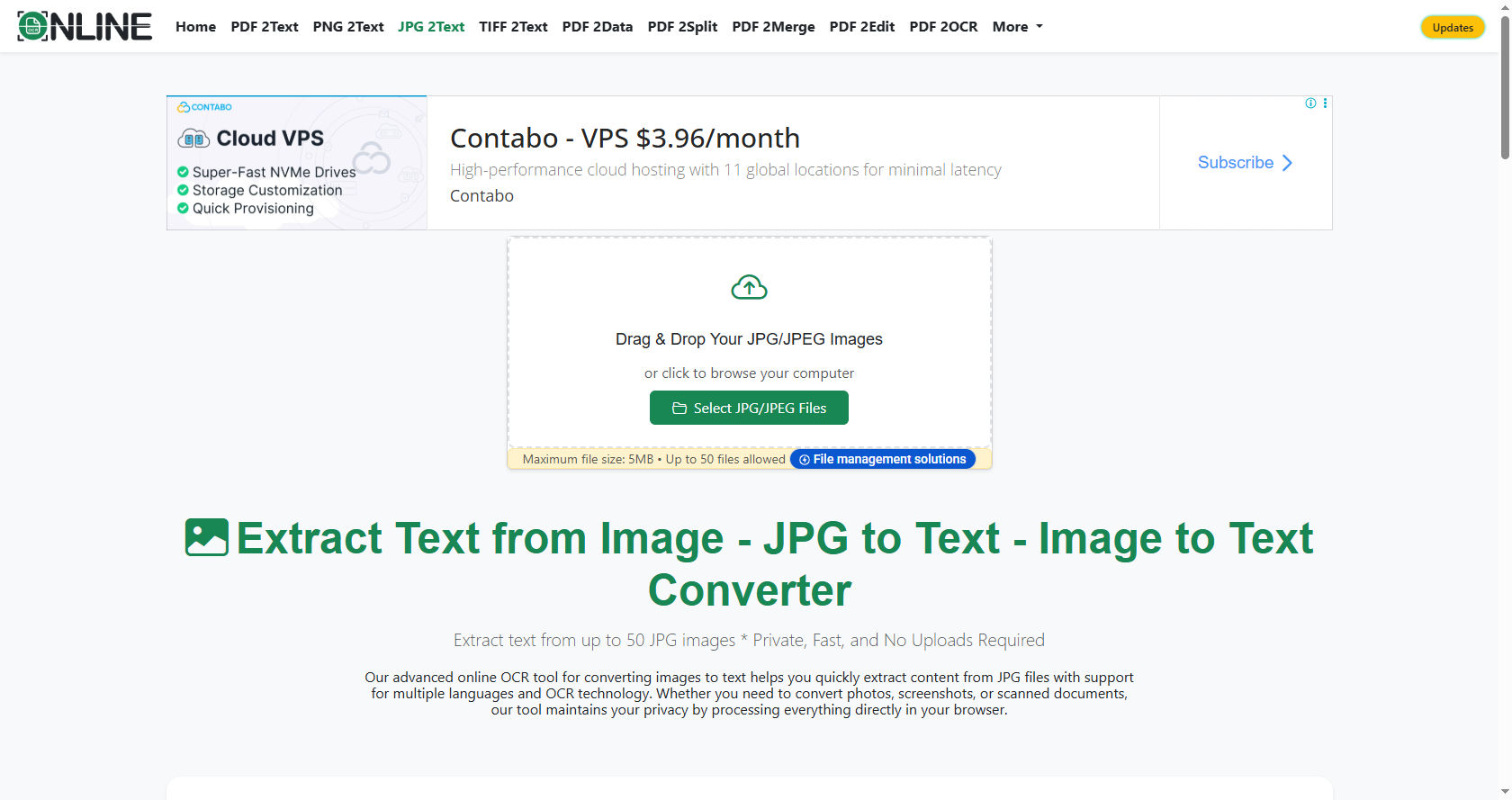
The idea behind JPG to Text is simple but powerful. Instead of manually typing everything from an image, you can upload a JPG file and instantly extract the written words.
This saves time, reduces errors, and improves productivity in both personal and professional tasks.
As more people rely on smartphones and digital documents, JPG to Text applications are becoming essential tools. They help bridge the gap between printed materials and digital content.
In this comprehensive guide, you will learn how these apps work, their benefits, features, uses, and future potential.
What is a JPG to Text App?
A JPG to Text app is a software application that converts image files, especially JPG images, into editable text format. It uses a technology called Optical Character Recognition (OCR) to detect letters, numbers, and symbols from pictures.
When you take a photo of a document and upload it into a JPG to Text tool, the app scans the image and identifies the characters. It then transforms those characters into digital text that you can copy, edit, or save.
The main goal of JPG to Text software is to remove the need for manual typing. Instead of rewriting notes, invoices, assignments, or printed documents, the app does the work for you quickly and accurately.
Today, many websites and mobile apps offer JPG to Text conversion services. Some are free, while others provide advanced features through paid plans.
How Does JPG to Text Technology Work?
To understand how JPG to Text works, you need to understand OCR technology. OCR stands for Optical Character Recognition. It is the core engine behind every JPG to Text application.
Here is a simple breakdown of the process:
Image Upload
First, you upload a JPG file into the JPG to Text app. This image can contain printed text, handwritten notes, or even screenshots.
Image Preprocessing
Before extracting text, the JPG to Text system improves the image quality. It may adjust brightness, remove noise, sharpen letters, and correct alignment. This step ensures better accuracy.
Text Detection
Next, the JPG to Text engine scans the image and identifies areas where text appears. It separates text from background elements like images or patterns.
Character Recognition
In this stage, the JPG to Text software analyzes each letter and symbol. It compares them with stored patterns in its database to recognize the correct characters.
Text Conversion
Finally, the app converts the recognized characters into editable digital text. You can copy it, download it as a document, or edit it directly inside the app.
This entire JPG to Text process usually takes only a few seconds.
Step-by-Step Guide to Using a JPG to Text App
Using a JPG to Text tool is simple and does not require technical skills. Follow these steps:
Step 1: Choose a Reliable App
Select a trusted JPG to Text website or mobile app. Make sure it supports high accuracy and secure file handling.
Step 2: Upload Your JPG File
Click the upload button and select your image. Most JPG to Text tools support drag-and-drop features.
Step 3: Start the Conversion
Press the convert button. The JPG to Text system will begin scanning the image automatically.
Step 4: Review the Extracted Text
After processing, the JPG to Text app will display the extracted content. Check for small errors, especially if the image quality was low.
Step 5: Download or Copy
You can now copy the text or download it in formats such as TXT, DOCX, or PDF.
This simple process makes JPG to Text accessible to everyone, including beginners.
Benefits of Using JPG to Text Applications
There are many advantages of using JPG to Text tools in daily life.
Saves Time
Manually typing a long document can take hours. JPG to Text reduces this task to seconds.
Improves Productivity
By automating text extraction, JPG to Text allows you to focus on more important work.
Reduces Errors
Human typing mistakes are common. JPG to Text software minimizes errors, especially with clear images.
Easy Document Editing
After conversion, JPG to Text gives you fully editable text. You can correct, format, or reorganize the content easily.
These benefits make JPG to Text apps valuable for students, professionals, and businesses.
Key Features to Look for in a JPG to Text App
Not all JPG to Text tools are the same. Here are important features to consider:
High Accuracy OCR
A good JPG to Text app should accurately recognize different fonts and sizes.
Multi-Language Support
Advanced JPG to Text software supports multiple languages, making it useful worldwide.
Batch Conversion
Some JPG to Text tools allow users to upload multiple images at once.
Cloud Storage Integration
Modern JPG to Text apps connect with cloud services for easy saving and sharing.
Choosing the right JPG to Text platform ensures better results and user experience.
Common Uses of JPG to Text Technology
JPG to Text applications are used in many fields.
Education
Students use JPG to Text to convert notes, book pages, and assignments into digital format.
Business
Companies use JPG to Text for invoices, receipts, contracts, and reports.
Legal and Government
Legal offices rely on JPG to Text to digitize official documents.
Healthcare
Hospitals use JPG to Text to convert medical records into electronic systems.
Because of its flexibility, JPG to Text technology is useful in almost every industry.
Accuracy Factors in JPG to Text Conversion
Although JPG to Text tools are powerful, accuracy depends on several factors.
Image Quality
Clear and high-resolution images improve JPG to Text results.
Proper Lighting
Good lighting ensures that the JPG to Text engine can detect characters correctly.
Font Style
Simple fonts are easier for JPG to Text software to recognize than decorative ones.
Understanding these factors helps users get the best output from JPG to Text applications.
JPG to Text Mobile Apps vs Online Tools
There are two main types of JPG to Text platforms: mobile apps and web-based tools.
Mobile JPG to Text apps are convenient for scanning documents using your smartphone camera. They are ideal for students and professionals on the go.
Online JPG to Text tools work directly in your web browser. You do not need to install software. These platforms are great for quick conversions on computers.
Both JPG to Text options have advantages. Your choice depends on your needs and device preference.
Security and Privacy in JPG to Text Apps
When using JPG to Text tools, data security is important.
Reliable JPG to Text platforms use encryption to protect uploaded files. They also delete files automatically after processing.
Before using any JPG to Text service, always read its privacy policy. This ensures your documents remain safe and confidential.
Offline vs Online JPG to Text Software
Some JPG to Text applications work offline. These programs are installed directly on your computer and do not require internet access.
Offline JPG to Text tools are useful for sensitive documents. They offer better privacy control.
Online JPG to Text services, on the other hand, are easy to access from anywhere. They do not require installation and are often free for basic use.
Both types of JPG to Text software serve different user needs.
Tips to Improve JPG to Text Results
If you want better performance from your JPG to Text app, follow these tips:
-
Use high-resolution images.
-
Keep the document flat while taking photos.
-
Avoid shadows and dark backgrounds.
-
Crop unnecessary areas before uploading to JPG to Text tools.
These small steps can significantly increase JPG to Text accuracy.
Future of JPG to Text Technology
The future of JPG to Text technology looks promising.
Artificial Intelligence and Machine Learning are improving OCR systems. Future JPG to Text apps will recognize handwriting more accurately.
Voice integration may also combine speech and JPG to Text features for better accessibility.
As digital transformation continues, JPG to Text will become even more advanced and widely used.
How to Choose the Best JPG to Text App
Selecting the right JPG to Text tool requires careful comparison.
Check user reviews and ratings. Test the accuracy of the JPG to Text engine with sample files.
Look for additional features like editing tools, format options, and cloud storage.
By choosing a reliable JPG to Text application, you ensure long-term efficiency and better results.
Conclusion
JPG to Text technology has changed the way we handle printed and scanned documents. Instead of manually typing pages of content, users can instantly convert images into editable files. This innovation saves time, reduces effort, and increases productivity.
From students converting textbook pages to businesses digitizing invoices, JPG to Text applications serve countless purposes. Their simple interface and fast processing make them suitable for users of all ages, including 12th grade students.
The working process of JPG to Text is based on OCR technology. It scans images, detects characters, and converts them into digital text. While accuracy depends on image quality and font clarity, modern tools provide impressive results.
Security, privacy, and feature availability are important factors when choosing a platform. Users should select trusted services that protect their data and offer high accuracy.
Looking ahead, artificial intelligence will make JPG to Text even smarter. Improved handwriting recognition, faster processing, and better language support will expand its capabilities.
In conclusion, JPG to Text is not just a simple conversion tool. It is a powerful digital solution that connects printed information with the modern digital world. As technology continues to grow, the importance of JPG to Text applications will only increase, making them an essential tool for education, business, and everyday life.